SWMS and the Document Creator
Write a SWMS, risk assessment, permit or toolbox talk from a template, with steps, hazards, controls and a named person responsible. Workers acknowledge the current version with a drawn signature.
Loading T1 SiteOps…
 Start free month
KNOW WHO IS ON SITE AND WHAT THEY HAVE SIGNED
SWMS, pre-starts, inductions, permits and incidents recorded against the job and the person, QR sign-on at the gate, a site card you design yourself, and Safety AI drafts that a person checks before anything is signed. T1 helps you keep your WHS and SOP records; it is not a guarantee of compliance.
First month free · No card needed · Cancel anytime.
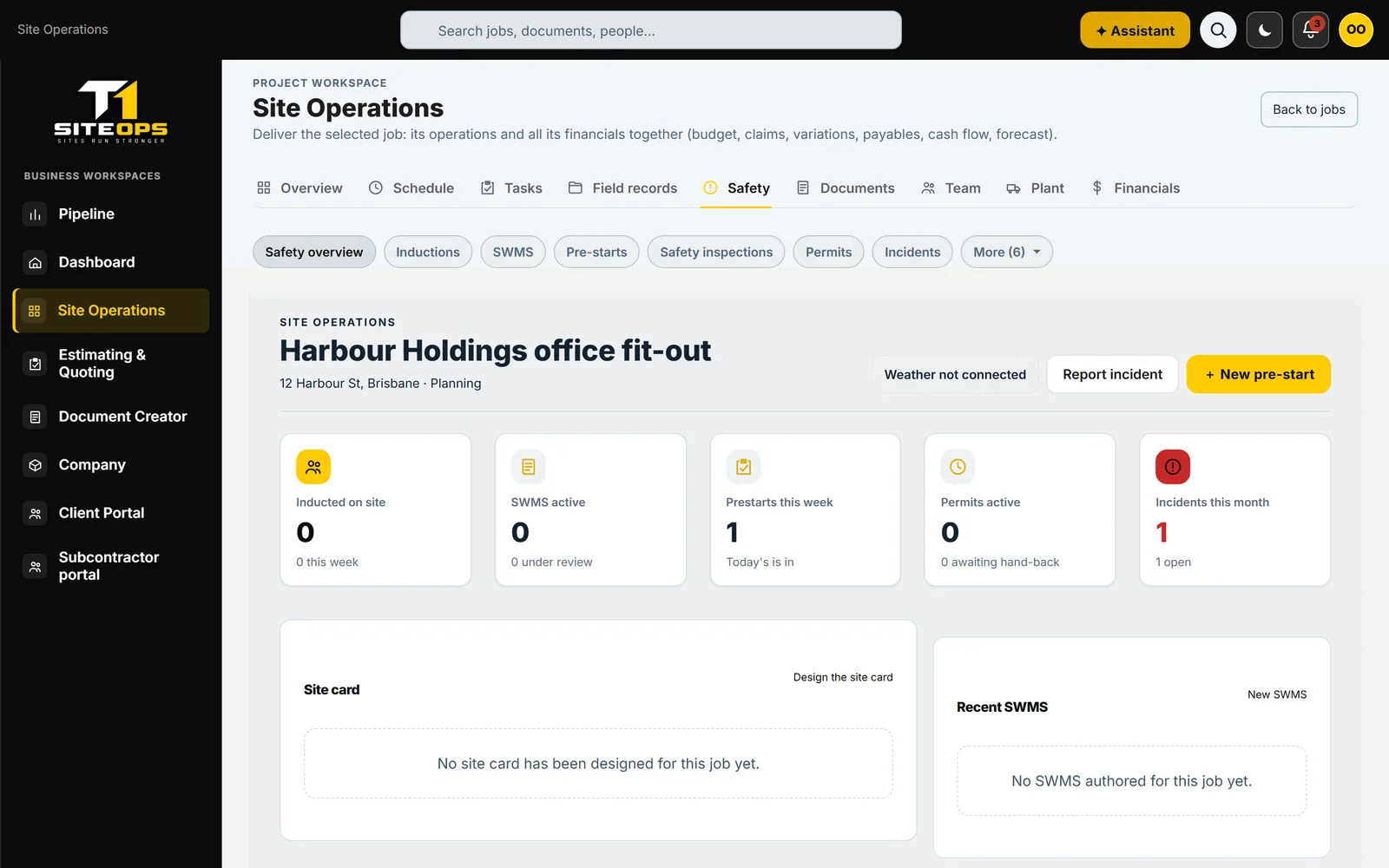
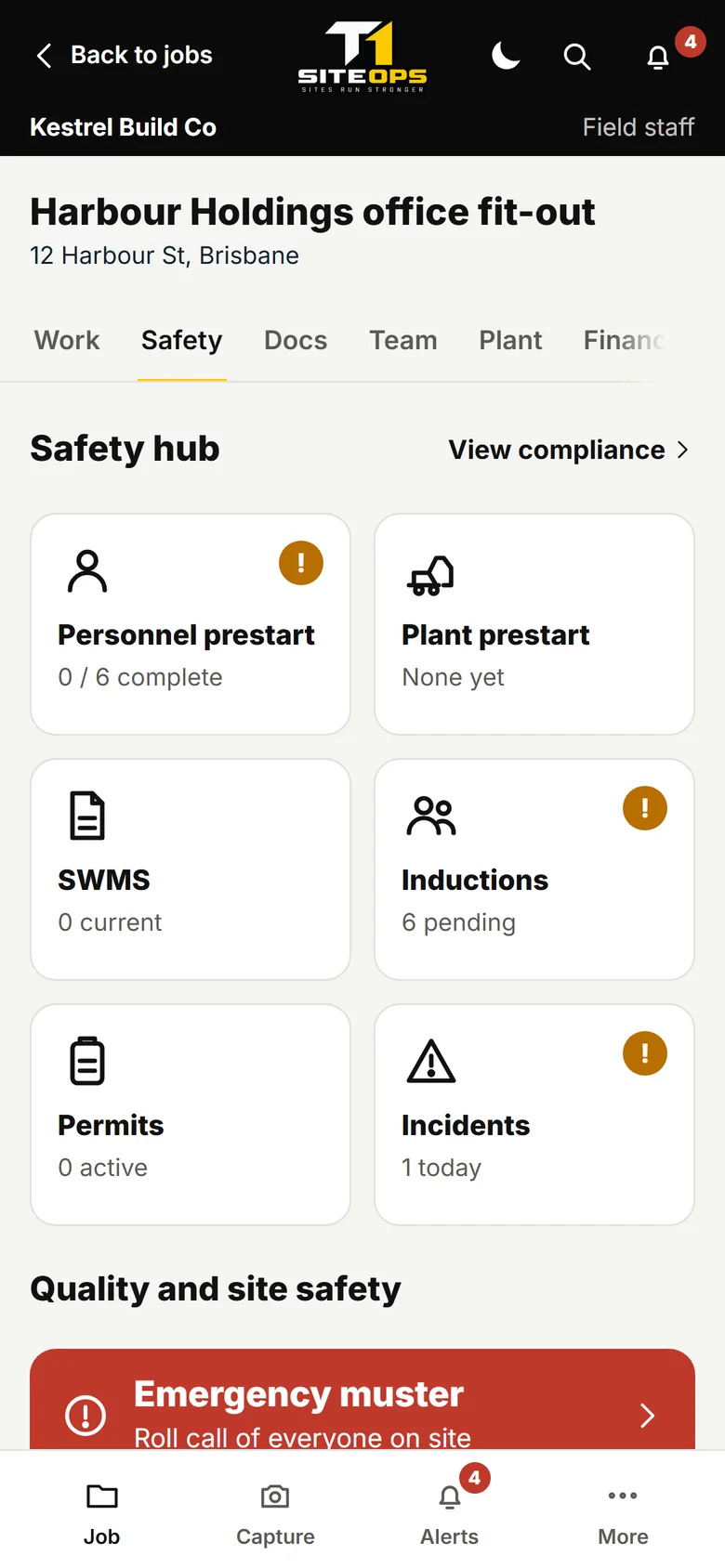
Screens from the current app, using demonstration data.
1 / 2
The job safety overview: SWMS, pre-starts, permits, incidents and the site card.
Write a SWMS, risk assessment, permit or toolbox talk from a template, with steps, hazards, controls and a named person responsible. Workers acknowledge the current version with a drawn signature.
Personnel and plant pre-starts for the day, with defects raised straight away and a timestamped record of who completed what.
A worker scans the site QR code to induct, clock on or acknowledge the pre-start. One scan, no paperwork, no re-keying.
Capture a hazard and get suggested controls drawn from your project documents. They are drafts for you to check: nothing is signed or issued until a person does it.
Design the site card, with emergency details and required PPE, and print it with the site QR codes.
Permits with approval and hand-back, incidents from report to close-out, and inductions held against the worker and the project.
Safety is not a separate module you reconcile later. It writes to the same project record everything else reads from.

START TODAY
First month free · No card needed · Cancel anytime.